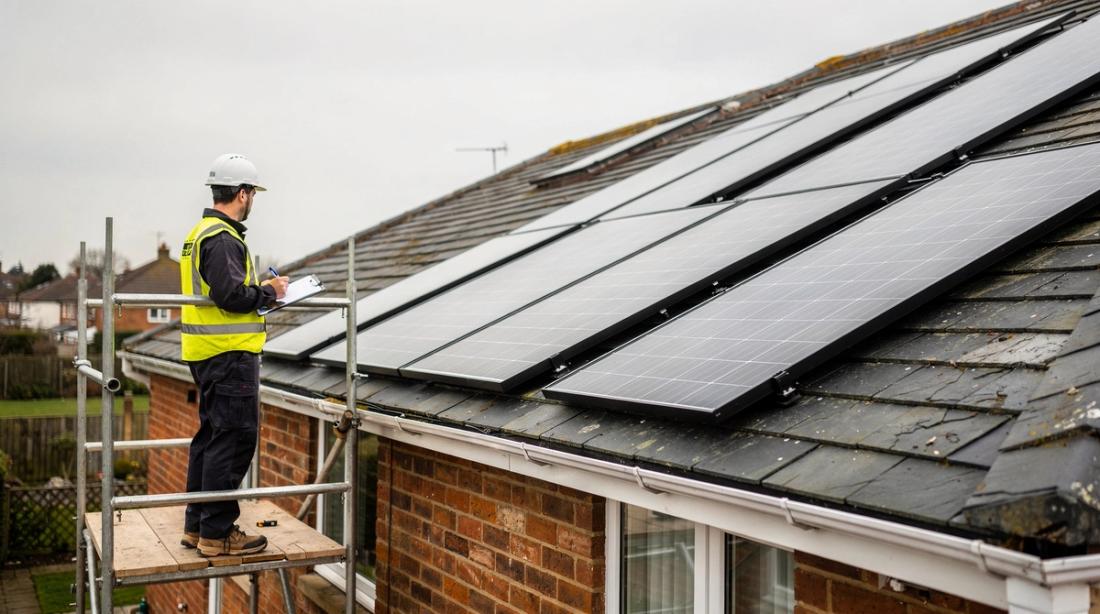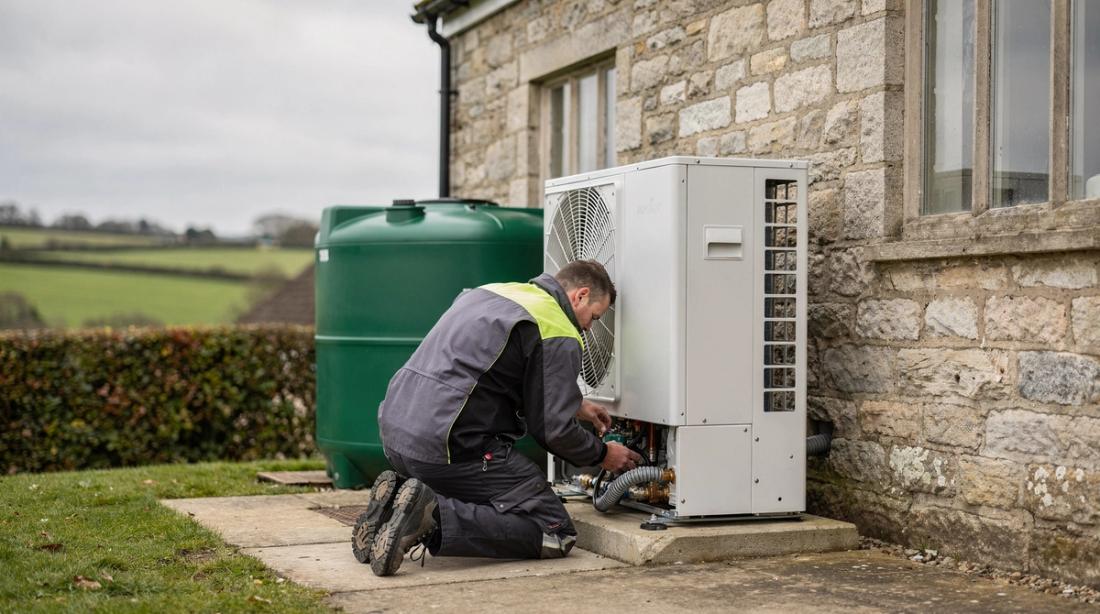

Solar management software is the set of digital tools UK installers use to design, quote, certify, connect and monitor systems, and demand for it is rising with volumes: MCS recorded a new certified installation every 74 seconds in the first half of 2026, including 148,531 solar installations (MCS, 2026). At that pace, admin done by hand becomes the bottleneck long before roof space or labour does.
This guide explains what each category of installer software does, where it saves time in 2026, and how to choose a stack that fits the size of your business. It focuses on the jobs software has to do, not on individual vendors. If you want a side-by-side of named products, see our comparison of the best software for UK solar and heat pump installers.
Key Takeaways
- Volumes are at record levels: nearly 172,000 solar installations were fitted across the UK between January and July 2026, with nearly 28,000 in July alone (GOV.UK, 2026).
- Installer software falls into five categories: design and simulation, quoting and CRM, compliance and grid paperwork, monitoring and aftercare, and mobile field tools.
- The redeveloped MCS scheme extends the certificate creation window from 14 to 30 days, but the record still has to match what was installed (MCS, 2026).
- Multi-technology jobs are now normal: 92% of MCS certified batteries in H1 2026 went onto homes with solar (MCS, 2026).
- How well your tools share data matters more than any single feature. Re-typing numbers between systems is where errors and delays start.
What is solar management software?
Solar management software covers any digital tool that helps an installer take a job from enquiry to handover and aftercare. It matters because the market is large and busy: the UK passed 2.1 million solar installations in total in 2026 (GOV.UK, 2026), and each one generates design files, quotes, certificates and notifications.
The term gets used loosely, which causes confusion when you compare options. In practice it breaks down into five jobs:
- Design and simulation: roof modelling, shading, panel layout, string design and yield estimates.
- Quoting and CRM: lead capture, proposals, pricing, follow-ups and scheduling.
- Compliance and grid paperwork: MCS records, certificates, Building Regulations evidence and DNO notifications.
- Monitoring and aftercare: system performance, fault alerts and maintenance planning.
- Mobile field tools: survey capture, photos, checklists and job status on site.
An installer searching for "solar contractor software" usually wants the CRM and scheduling layer. Someone searching for "solar PV management software" more often means monitoring. Knowing which of the five jobs is actually slowing you down narrows the search before you look at a single product.
Why do installers need digital tools in 2026?
Installers need digital tools in 2026 because job volumes have grown faster than headcount. The MCS installer register lists around 5,600 certified installers (MCS, 2026), while the UK fitted nearly 172,000 solar installations in the first seven months of the year (GOV.UK, 2026).
That gap shows up in three places:
- Speed to quote. Homeowners compare several installers, and the first credible number often wins. A survey that turns into a proposal the same day beats one that waits for someone to get back to the office.
- Paperwork per job. A typical domestic job now involves a design, a quote, an MCS certificate, a DNO notification and a handover pack. When a battery or heat pump is added, the paperwork multiplies.
- Energy prices. With the default electricity unit rate at 26.32p per kWh and a standing charge of 54.83p per day from 1 October 2026 (Ofgem, 2026), customers expect accurate savings figures, and they notice when a system underperforms.
Policy is adding to the pipeline too. The government's Warm Homes Plan commits £15 billion of public investment to upgrade up to 5 million homes by 2030 (GOV.UK, 2026). Small teams that want a share of that work need systems that let the same people handle more jobs without cutting corners.
Design and simulation software
Design and simulation software models the roof, shading and string layout before anyone climbs a ladder, and produces the yield estimate that supports the quote and the MCS paperwork. Getting this right matters at scale: with 148,531 MCS certified solar installations in H1 2026 alone (MCS, 2026), small design errors repeat across many jobs.
Typical features include:
- Roof modelling from aerial imagery, drone surveys or site measurements.
- Shading analysis for chimneys, dormers, trees and neighbouring buildings.
- Panel layout and string design, including inverter and optimiser selection.
- Yield prediction that feeds directly into the proposal and savings figures.
Shading is where a rushed estimate usually falls down. A chimney that looks minor from the ground can cut output on the nearest string by a noticeable margin, and customers compare their first year of generation against the quote. Our guide to shading analysis for solar PV covers the method in detail.
For commercial roofs, the same tools handle rack layout, access routes and structural loading across much larger areas, where a manual estimate is far more likely to be wrong.
How does software speed up quoting and sales?
Quoting and CRM software shortens the gap between a survey and a signed contract by turning design data into a priced proposal without re-typing. That speed matters in a busy market: nearly 28,000 solar installations were fitted across the UK in July 2026 alone (GOV.UK, 2026), so homeowners have plenty of installers to compare.
A good quoting layer does four things:
- Captures every lead from web forms, phone calls and referrals in one place, with a clear owner and next step.
- Builds the proposal from the design, so panel count, battery size and yield figures match the technical file.
- Keeps pricing consistent across salespeople with a shared quote template and approved margins.
- Chases automatically, with reminders for unsigned quotes, deposits and survey bookings.
Savings claims need care. With the price cap at 26.32p per kWh from October 2026 (Ofgem, 2026), a tool that recalculates savings when tariffs change keeps proposals credible. For heat pump jobs, show the grant clearly: the Boiler Upgrade Scheme pays £7,500 towards an air source or ground source heat pump (GOV.UK, 2026).
Our guide to digital solar proposals covers what a strong proposal includes and how to present it on a tablet during the survey.
Compliance, MCS and DNO paperwork
Compliance software turns MCS, Building Regulations and grid paperwork into a repeatable checklist instead of a folder rebuilt for every job. The rules are changing: under the redeveloped MCS scheme, certificate creation windows move from 14 to 30 days, Consumer Code membership is no longer mandatory, and most installers move over during 2026 (MCS, 2026).
A longer window does not reduce the evidence you need. The certificate, design and as-built record still have to agree on the kit, the layout and the performance estimate. Software helps by:
- Keeping one job record with the design file, survey photos, commissioning results and certificate together.
- Flagging missing items before handover, such as unsigned paperwork or absent test results.
- Generating grid paperwork from the same data. For G98 systems up to 16A per phase, the DNO must be notified within 28 days of commissioning, while G99 systems need permission before connection (MCS, 2026).
Heat pumps follow similar rules. MCS guidance says heat pumps with a maximum demand of 60A or less can be connected and then notified within 28 days, while larger loads need an application first (MCS, 2026). Our G99 application and DNO approval guide walks through the process step by step, and the redeveloped MCS installer scheme guide explains what changes for certified businesses.
Grant-funded work adds another layer of evidence. Ofgem had issued 101,029 Boiler Upgrade Scheme vouchers by 31 August 2026 (Ofgem, 2026), and every redemption depends on accurate installer records.
Monitoring and aftercare platforms
Monitoring platforms track system output against what the design predicted, and flag faults before customers notice them. As the installed base grows past 2.1 million solar systems (GOV.UK, 2026), checking each site by hand stops being realistic, and aftercare becomes a service you can price rather than a cost you absorb.
The useful features are:
- Expected versus actual yield, so alerts reflect genuine underperformance rather than a cloudy week.
- Inverter and battery error codes pulled into one dashboard across manufacturers.
- Maintenance scheduling that turns alerts into booked visits with the right parts.
Remote checks also reduce roof visits, which has a safety benefit. Falls from height caused 31 of the 126 worker deaths in Great Britain in 2025/26 (HSE, 2026). Every fault you can diagnose from the office is one less ladder climbed. Our solar panel maintenance guide sets out a practical aftercare schedule.
Alert thresholds matter more than the dashboard design. A platform that flags every minor dip will be ignored within a month. Set thresholds against the expected output for each roof and season, and review them after the first year.
Do digital tools handle heat pumps, batteries and EV chargers?
Most integrated platforms now extend the same design, quoting and compliance workflow to batteries, heat pumps and EV chargers, and they need to. MCS reported that 36,000 certified batteries went in during H1 2026, almost matching the previous annual record of 40,000, and one in three installations involved more than one technology (MCS, 2026).
What to check for each technology:
- Batteries: sizing against the customer's usage and tariff, plus the right grid paperwork for the combined inverter capacity.
- Heat pumps: heat loss and sizing data carried into the quote and the MCS record. Heat pumps fell 17% year on year in H1 2026 to just over 25,000, and three quarters were funded by schemes such as BUS (MCS, 2026), so grant evidence is part of every job.
- EV chargers: load assessment and scheduling against solar generation.
The market is also widening at the small end. Plug-in solar kits up to 800W became legal in Great Britain on 27 August 2026, with no requirement to use a certified installer (pv magazine, 2026). That shifts competition for simple jobs and makes multi-technology design, batteries and aftercare a stronger place for professional installers to focus.
Choosing the right software stack
Most UK installers run two or three connected tools rather than one system for everything, and the right starting point depends on the bottleneck. With around 5,600 MCS certified installers competing for work (MCS, 2026), the best first purchase is the tool that removes your slowest step, not the one with the longest feature list.
Use this list as a starting point:
- Slow quotes, lost leads: start with quoting and CRM, then add a design tool that feeds the quote.
- Design errors, resizing on site: start with design and simulation, then add a field survey app.
- MCS and DNO paperwork backlog: start with compliance and job records, then add a CRM linked to the job file.
- Growing base of live systems: start with monitoring and aftercare, then add maintenance scheduling.
- Several crews, several sites a week: start with scheduling and field apps, then add monitoring.
Before you commit, check how the tools share data. A design tool that cannot push the yield estimate into the proposal, or a CRM that cannot attach the certificate to the job, means someone copies numbers by hand. Ask vendors for a demo using one of your real jobs, from survey to handover, and time how many times you re-enter the same data.
Also check the basics: offline mode for rural sites, clear data export if you switch provider, and user permissions that match how your team works. Platforms such as Reonic combine design, quoting and project management in one system for installers who prefer one login, while a small team with a single bottleneck may be better served by one specialist tool first.
FAQ
What software do UK solar installers need to get started?
Most installers start with a design tool for accurate quotes and a CRM or job management tool for leads, scheduling and paperwork. Monitoring and field apps usually come later, once the number of live systems or crews grows.
Is design software required for MCS certification?
No. MCS does not require a specific product. It does require that your design, performance estimate and certificate match what you installed, and consistent software makes that much easier to prove.
How long do I have to create an MCS certificate?
Under the redeveloped MCS installer scheme, certificate creation windows are 30 days instead of 14 days. Most installers move to the new scheme during 2026, so check which rules apply to your business today.
Do I need to notify the DNO for every solar installation?
Yes. Systems under G98, up to 16A per phase, must be notified within 28 days of commissioning. Larger systems under G99 need permission from the DNO before connection.
Can one platform handle solar, batteries and heat pumps?
Some platforms cover all three with shared design, quoting and compliance workflows. Test it with a real multi-technology job before signing, and check that heat loss, battery sizing and grant evidence all live in the same job record.